Ranks
Every KOL on X says he is up. Ranks shows who actually is. Which traders and factions are printing, and which tokens are moving.
Where to find it
Two tabs: Leaderboard and Tokens.
- Desktop: go to clusterz.fun/ranks. Or on Discover, hit the Ranks edge on the left side of the screen and the same lists slide in beside the map. The [ key does the same.
- Phone: tap Ranks in the bottom bar.
Tracked traders get ranked on their trades on the network. clusterz traders get ranked on their trades on clusterz. The board refreshes while you watch.
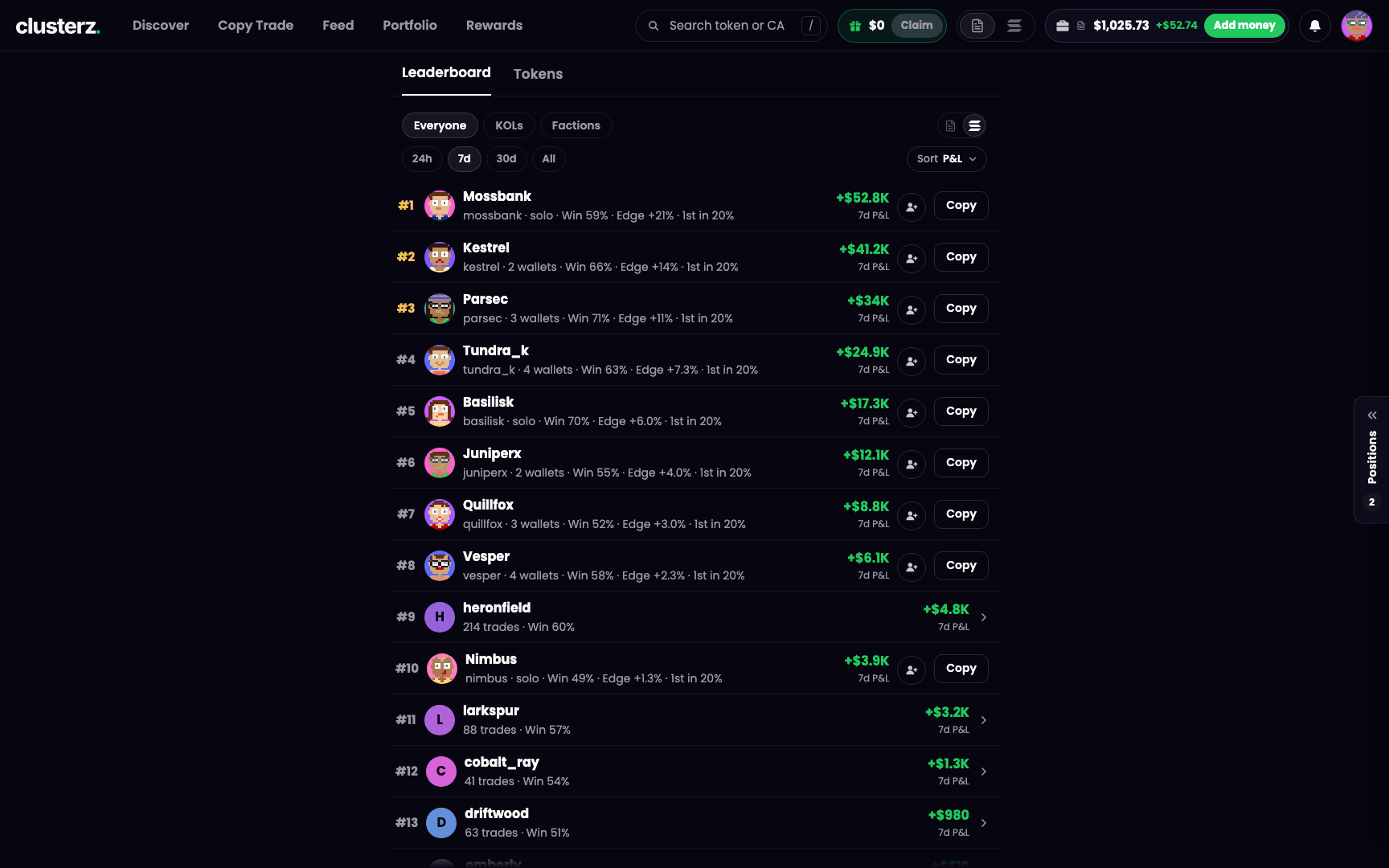 The leaderboard of tracked traders, Live, last 7 days. Receipts, not screenshots.
The leaderboard
Boards
Pick a board at the top of the Leaderboard tab:
- Everyone: tracked traders and clusterz traders on one board. A tracked trader is one row per cluster, with how many wallets it holds. One wallet reads "solo".
- KOLs: one row per tracked KOL wallet, with their X and Telegram linked. Live only.
- Factions: teams of clusterz traders, ranked on their members' Live P&L. See Factions.
Practice and Live
Two icons at the top right flip the board: Practice (the paper icon) and Live (the SOL icon). Live is the default.
- Live: Everyone shows tracked traders plus clusterz traders' Live trades.
- Practice: Everyone shows clusterz traders' Practice trades alone. Tracked traders always trade real money, so they only show up on Live.
Practice and Live P&L never share a board. Play money does not get to flex next to real bags.
Time range
24h, 7d, 30d or All. It opens on 7d. For tracked traders, All means the last 90 days. Factions only gets 7d and 30d.
Empty range? The board offers the next longer one, like Show 7 days.
Sort
Sort ranks the board best first on one figure. That figure is the big number on each row. The rest sit on the line under the name.
| Sort | What it measures |
|---|---|
| P&L | Profit or loss over the range, in dollars, plus the percent of what went in. Tracked traders: open positions count at current value. clusterz traders: it counts what they sold. |
| Win | Share of positions in profit, on the same trades as P&L. |
| Edge | Average return per closed position. Needs at least 5 closed positions to get a figure. |
| 1st in | Of the tokens other tracked traders also bought, the share this trader bought first. |
Edge and 1st in are tracked traders only. Under those sorts, clusterz traders sit below the ranked rows. A Practice board is clusterz traders alone, so those two sorts are not on it.
Nothing to measure in the sorted figure? The row shows "–", gets no rank and sits below the ranked rows. Never a fake 0%.
A tracked cluster only ranks if its wallets put at least 1 SOL into trades in the range. Dust wallets don't get to top the board.
What a row does
On a tracked trader or KOL row:
- Copy opens a copy setup for that trader. Already copying them? The button shows a check mark and opens your copy to edit. See Copy.
- Follow (the round button) puts their trades on your map. Shows once you are signed in. See Feed.
- Tap the row for the trader's page: their wallets, their trades.
On a clusterz trader's row:
- Name, faction tag, trade count. Tap the row for their Feed profile. Tap the tag for their faction.
- No Feed name? They show under an anonymous alias, and the row does not open.
Your row
Signed in and sold something in the range? Your row says You. The board lists the top 100 clusterz traders. Not in it? Your row gets pinned under the list with your P&L anyway. Signed out, you get Sign in to see your P&L.
A clusterz trader's P&L counts trades closed in the range in full, plus partial sells made in the range on positions still held. On Practice, resetting your balance does not wipe your earlier trades off the board. No hiding the blown-up account.
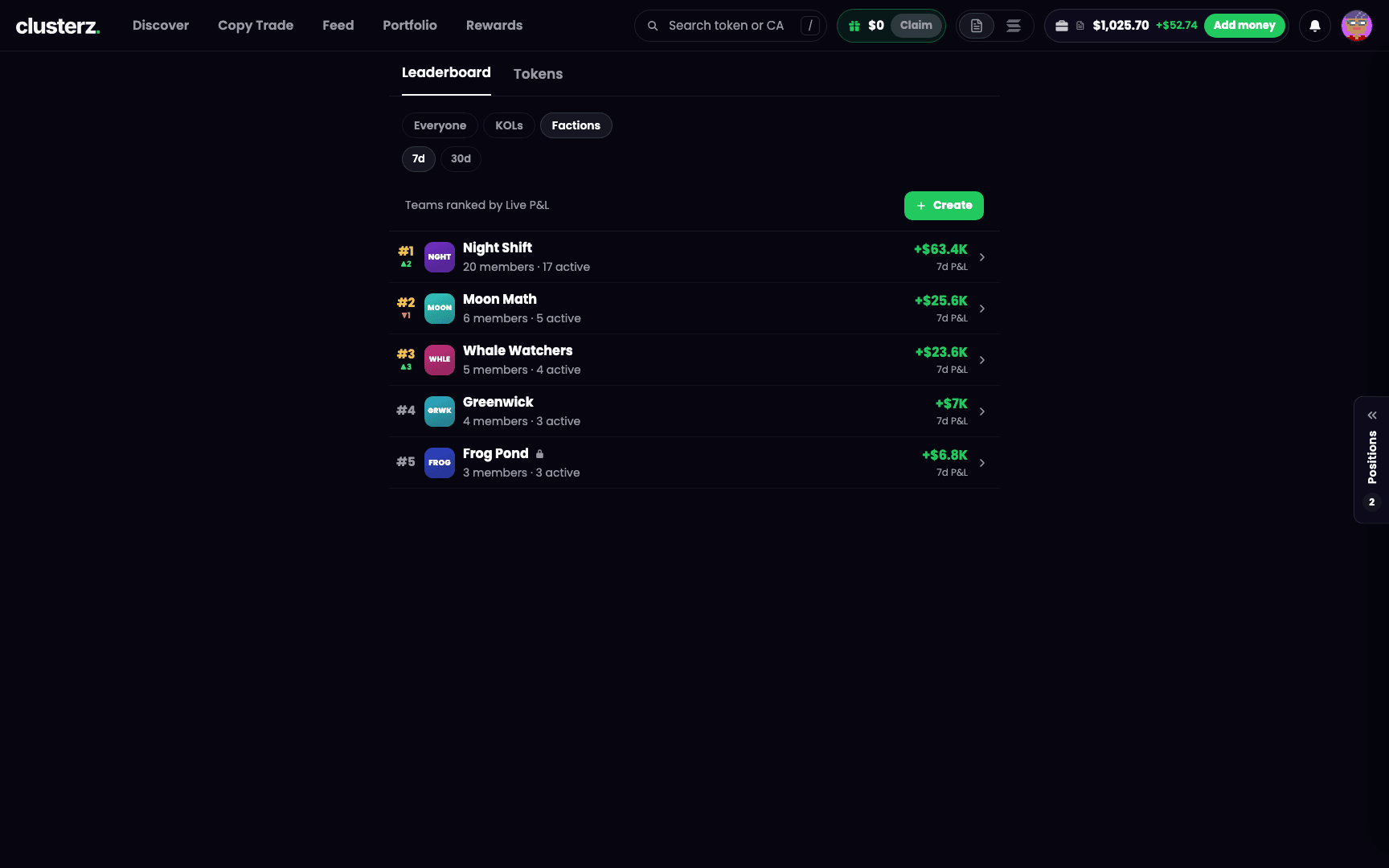 Factions ranked by their members' Live P&L. Real money only.
Tokens
Tokens lists what tracked traders are trading right now. Pick an order:
- Trending: most recent tracked trade first.
- Movers: biggest price move since a tracked trader first bought, up or down. The default.
- Market cap: biggest market cap first.
- Held: your bags first.
Each row: the token, its age, how many tracked traders are in, market cap, change. Change is the last hour (marked "1h"). No one-hour figure? Then it is the move since a tracked trader first bought (marked "since call").
Buy on a row buys your quick-buy amount in your current mode. The arrow beside it opens your other amounts. Holding it already? The row shows Held with its value and P&L instead. Tap a row for the token's page. See Token page and Buying and selling.
Your Discover filters apply here too. Any filter on, and Filters on shows above the list with Reset.
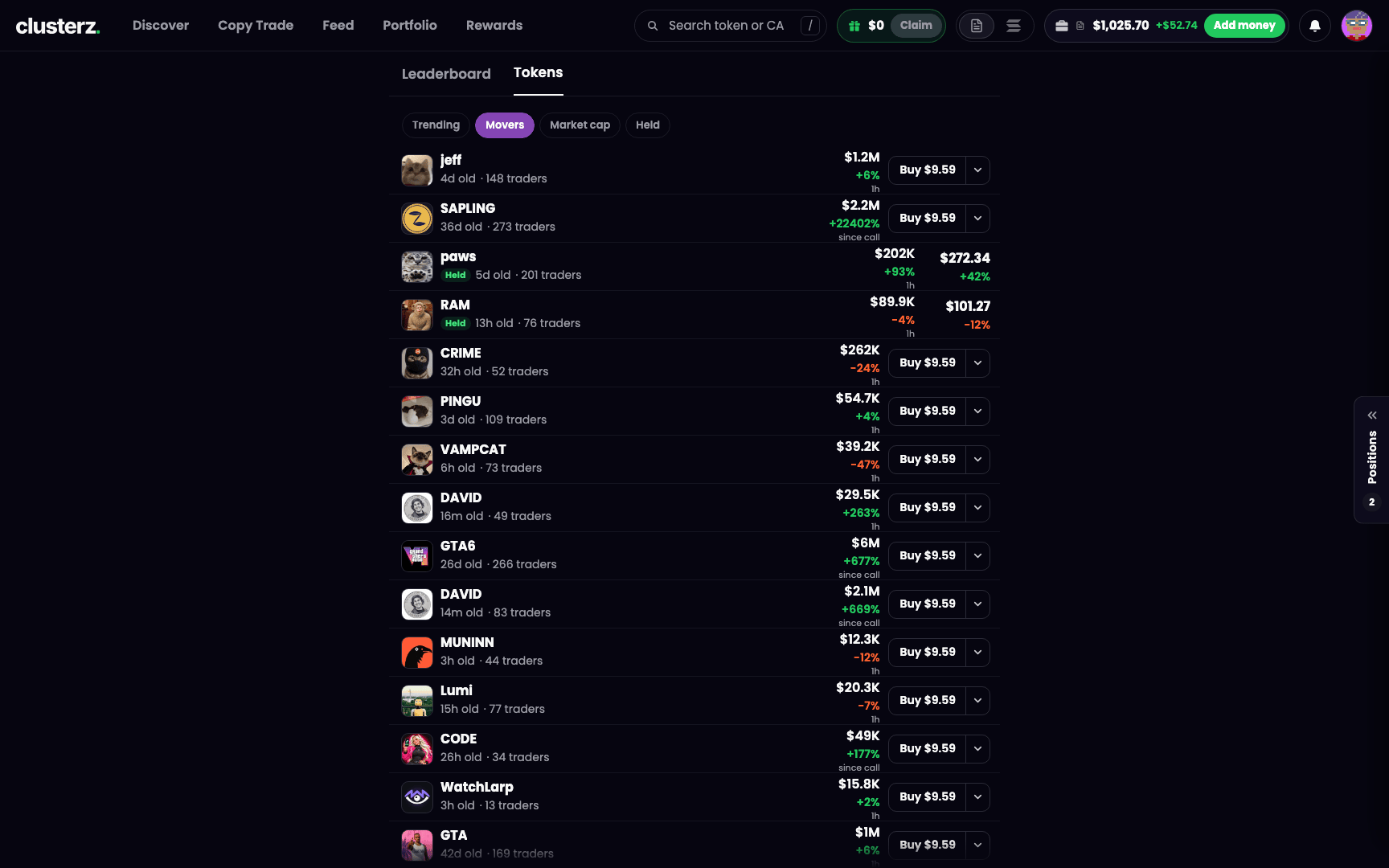 The Tokens tab sorted by Movers. Biggest swings since the first tracked buy, up or down.
Weekly rank in Rewards
Rewards runs its own weekly board: what clusterz traders made in the last 7 days, in your current mode. You see your rank and how far behind the trader above you are. Close a trade during the week to get ranked. See Rewards and referrals.
How we use it
- Sort by Edge for traders who win per trade, not one lucky moonshot. Sort by 1st in for traders who get in before everyone else. Be next to those guys, not their exit liquidity.
- Check a trader on 30d or All before you copy. A good 24h can be one lucky token.
- Flip Tokens to Held and your own positions, with P&L, sit at the top.