Factions
Solo in the trenches, you are the one who gets picked off. So run with a crew.
Factions are teams of traders, ranked against each other on Live P&L. Real money only.
How it works
A faction is a short tag, a name and up to 50 members. One faction per account at a time.
The Factions board ranks every faction by what its members made trading Live after they joined. Practice trades never count. Play money does not get you on a board.
The board lives under Ranks > Leaderboard > Factions. On a phone, open Ranks from the bottom bar and pick Factions.
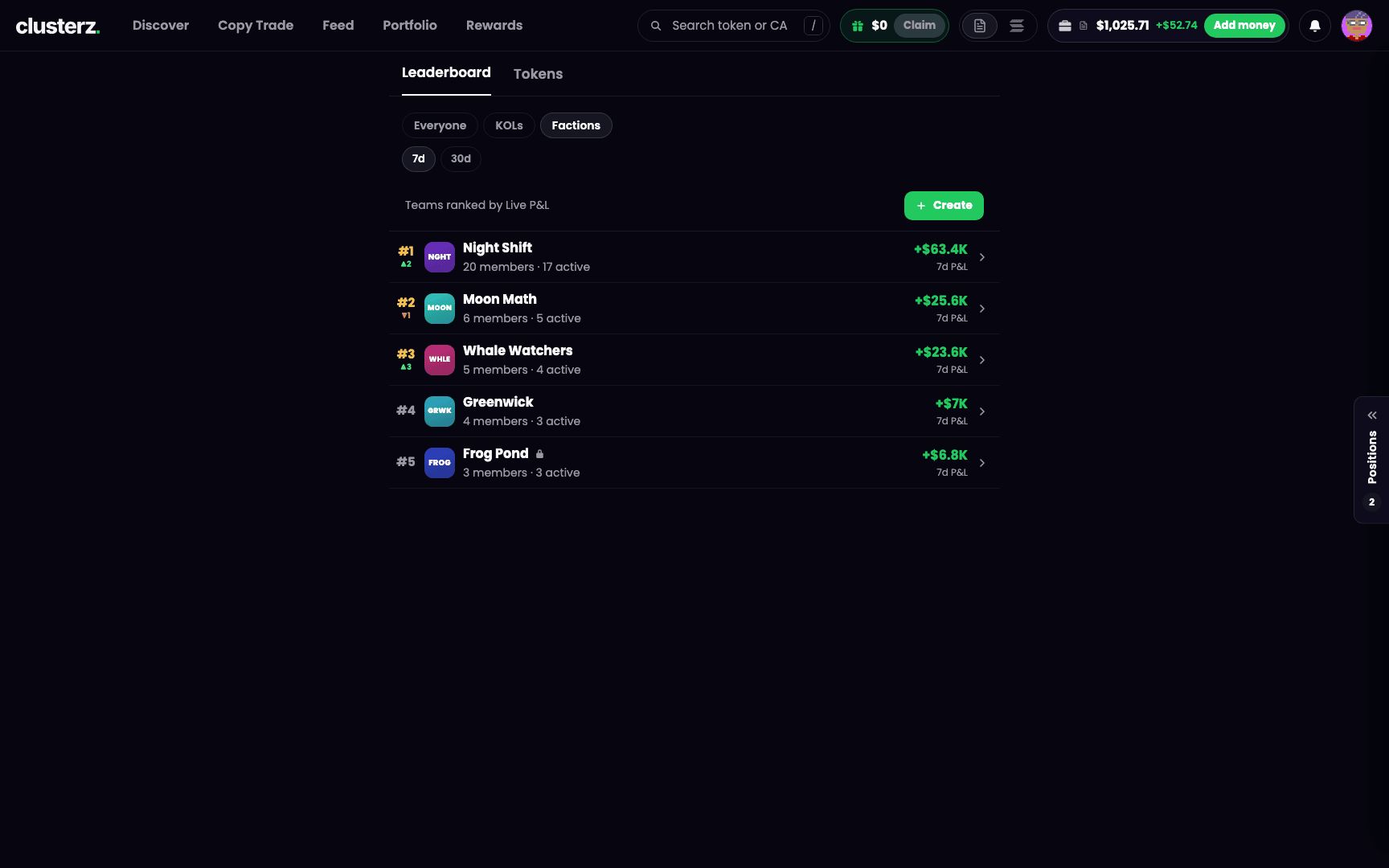 The Factions board. Hit Create and start your crew.
Each row gives you the rank, the tag, the name, members and how many are active, and the score for the window you picked. A lock beside the name means Invite only. The small arrow beside the rank is how many places it moved since the last board. Tap a row to open the faction's page.
How the score is kept honest
Two windows: 7d and 30d.
- A member is active with at least one counted Live trade in the window.
- Only trades opened after the member joined count. Nobody drags in old wins from before they showed up.
- A trade you closed in the window counts in full. On a bag you still hold, the partial sells you made in the window count.
- The score is the sum of the faction's 10 best active members' Live P&L, in USD.
- You need 3 active members to be ranked. Until then you are off the board, and your own faction's row and page read Ranks at 3 active.
Ties go to the faction with more active members, then to the older one.
Before you start
- Sign in.
- Get a Feed name. Member lists show names. No name and the app says Pick a Feed name first. See Feed.
- Creating a faction takes the same standing as posting to the Feed. A funded account has it. Not there yet and the app says Your account cannot do this yet. See Funding your wallet.
- You get one join or create every 7 days, counted from your last join. Try sooner and the app tells you when, like You can join again in 3d. No faction hopping.
Start a faction
- Go to Ranks > Leaderboard > Factions.
- Press Create. You only see it while you are not in a faction.
- Enter a Name, 3 to 24 characters.
- Enter a Tag, 3 to 5 letters or digits. It is stored in capitals and it never changes. Your tag chip previews as you type.
- Under Who can join, pick Open or Invite only.
- Press Create.
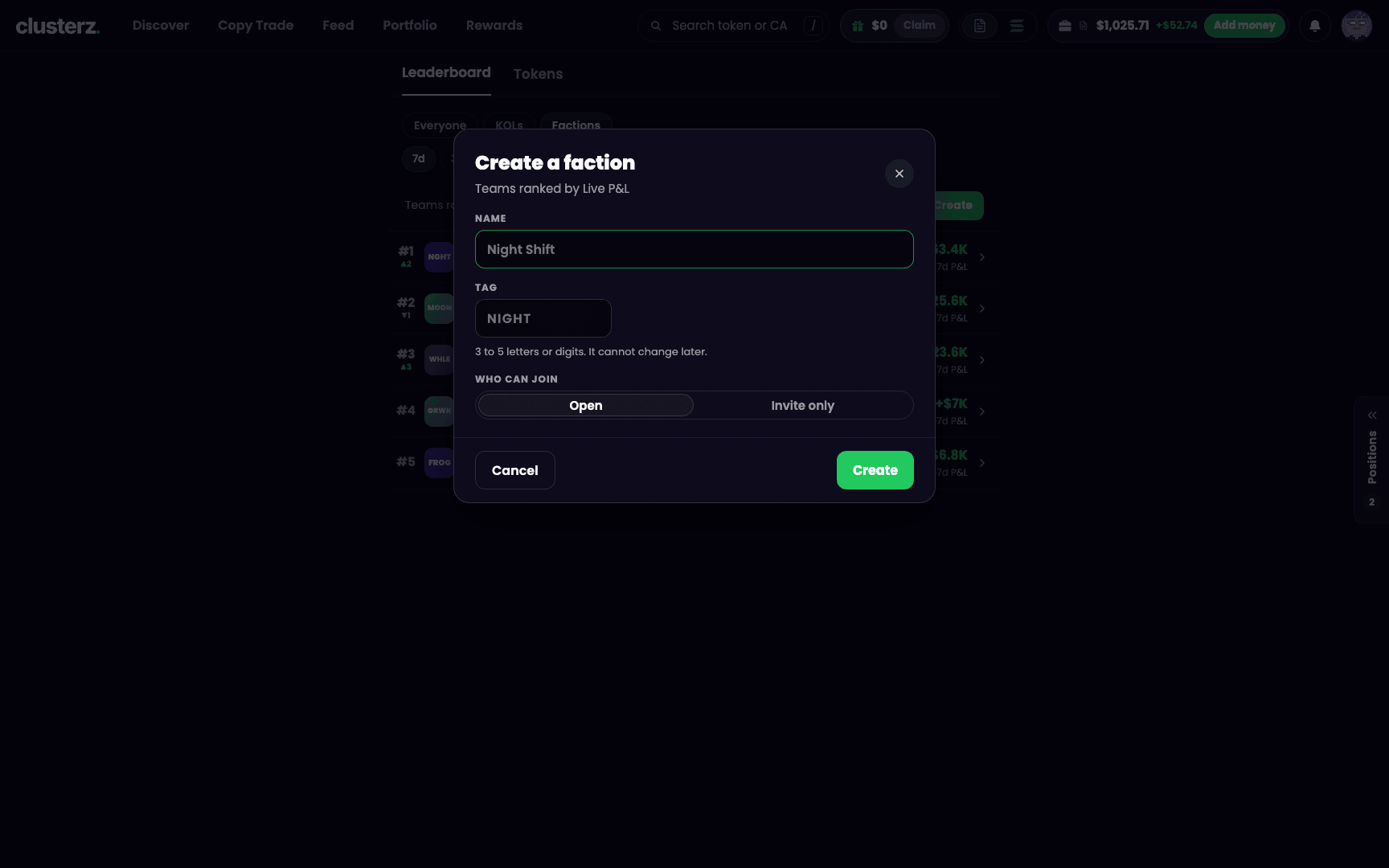 3 to 5 characters of tag and a name. You are stuck with the tag, so choose like you mean it.
Tags and names are one of a kind. Already taken and the app says Tag taken or Name taken. Staff and brand words are reserved and bounce with That name or tag is reserved. Then you are the founder and you land on your faction's page.
Join one
- Open the faction's page from the board, or from a tag chip next to a trader's name.
- Press Join.
Invite only means you need the founder's invite link. Open it and the code fills in for you. Or paste the code into Invite code and press Join. At 50 members the faction shows Faction is full.
The faction page
Every faction gets a page at clusterz.fun/faction/ plus its tag. Like clusterz.fun/faction/ABC.
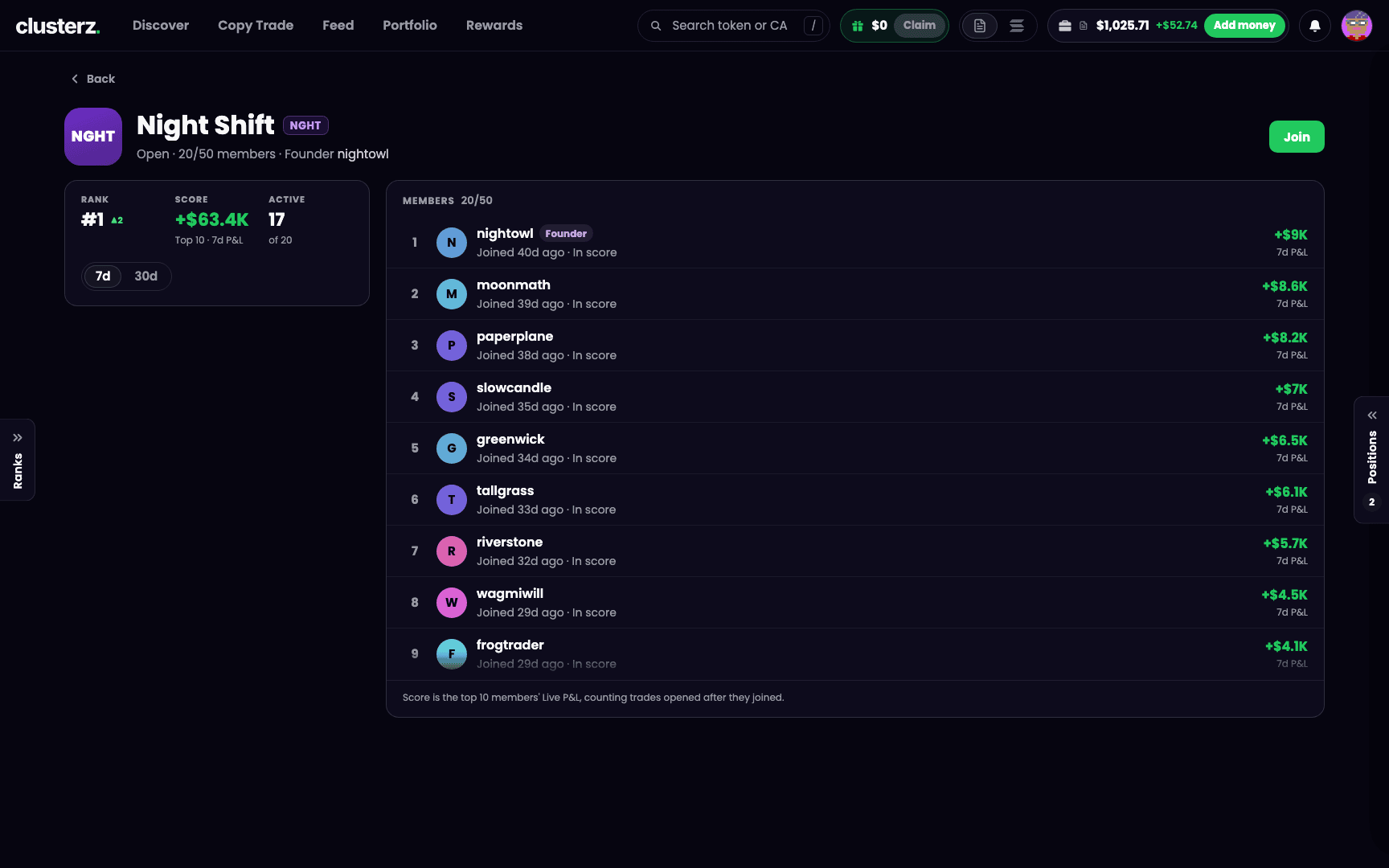 A faction page. Every member's Live P&L, out in the open. Nowhere to hide a bad week.
- Up top: name, tag, Open or Invite only, member count out of 50, and the founder.
- Rank, Score and Active say where you stand. Flip between 7d and 30d under them.
- Members lists everyone, best P&L first. In score marks who is carrying the score. Tap a member for their Feed profile.
Running the crew
Founders get an Invite card on the faction page:
- Flip between Open and Invite only any time.
- Copy link copies the invite link. On an invite only faction it carries the code.
- New link makes a fresh code for an invite only faction. The old link dies.
- Kick a member with the remove button on their row. They cannot rejoin that faction for 7 days.
Leaving
Press Leave on your faction's page and confirm. You can always leave.
- Founder leaves, the longest-standing member takes over as founder.
- Founder is the last one out, the faction closes and its tag and name are up for grabs.
Your tag follows you
- Tag chip: your tag sits next to your name on the leaderboard, on your Feed posts and on your Feed profile. Tap any tag chip to open that faction's page.
- Feed: a Faction tab shows posts from your faction's members.
- Map: a Faction chip on Discover shows the tokens your members hold. On the map those tokens get a ring in your tag's colour.
- Token page: a line like "3 of your faction hold" shows up when members hold it. Tap it to see who.
Holdings count Live positions only, and only for members with Others can see your holdings turned on. No sizes, no entries, no P&L. Your crew sees what you hold, not how big you went.
From us
- Pick a tag you can live with. It never changes.
- Want to pick your people? Go Invite only. Link leaked further than you meant? Hit New link.
- Only trades opened after you join count. Join first, then ape.
- The score takes the 10 best members, so a few killers can carry the whole crew. Three active members gets you on the board.