clusterz on your phone
Let's be honest. You watch the trenches on your phone anyway. On the couch, in bed, on the toilet.
So clusterz runs in your phone's browser with everything desktop has. Same terminal, built for one thumb: a bottom bar, a compact header, and sheets that slide up from the bottom.
Getting in
Open https://clusterz.fun in your phone's browser. That's it. Nothing to download from an app store.
Sign in the same way as on desktop. Same account, same wallets, same positions on every device. Your keys, your bags. We never hold your funds.
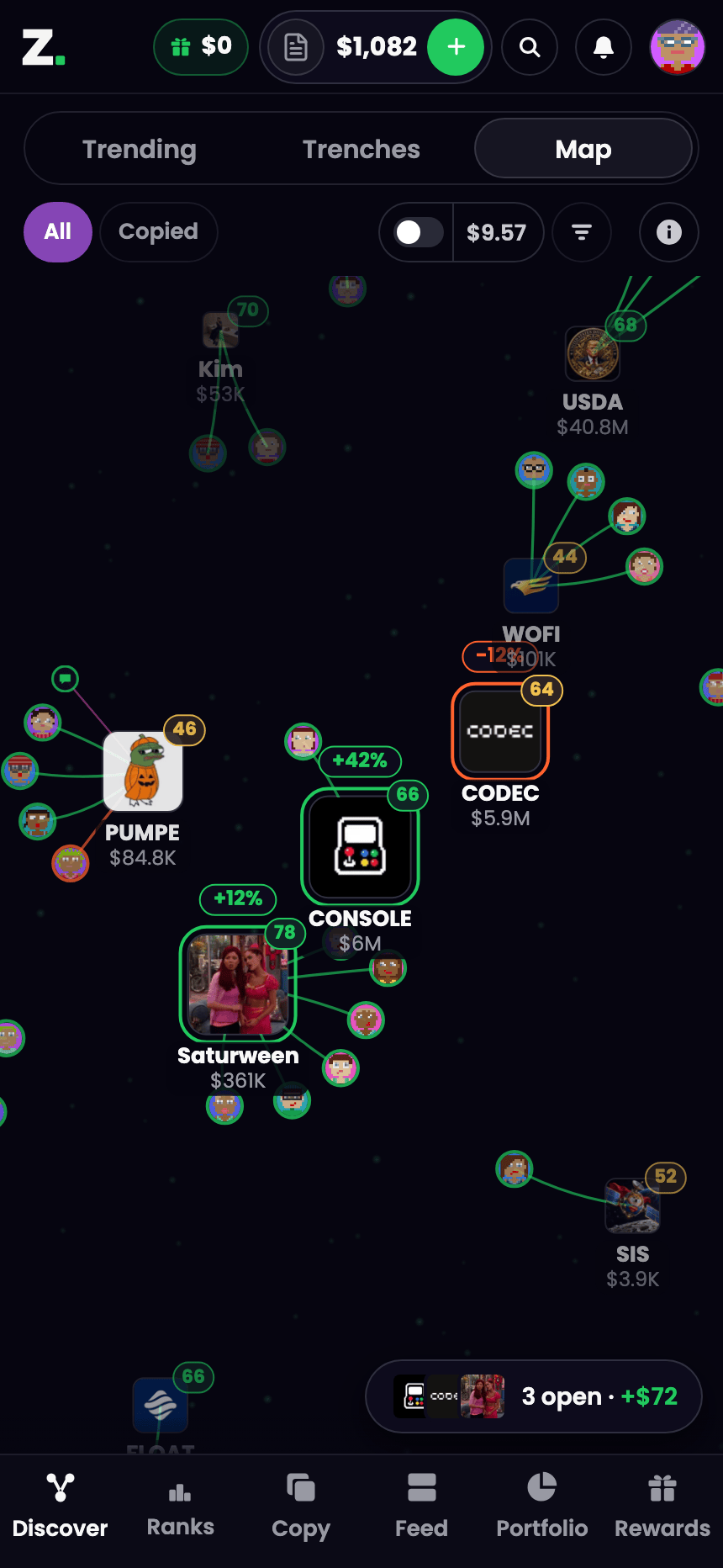 The Map on a phone, with the bottom bar. The whole fight, in your pocket.
The bottom bar
Every part of the app is one tap from the bar at the bottom:
- Discover: Trending, Trenches and the Map.
- Ranks: the trader leaderboard and the top tokens.
- Copy: Copy Trade. Shows up once you sign in.
- Feed: what other traders are posting.
- Portfolio: your positions, P&L and history.
- Rewards: your cashback and referrals.
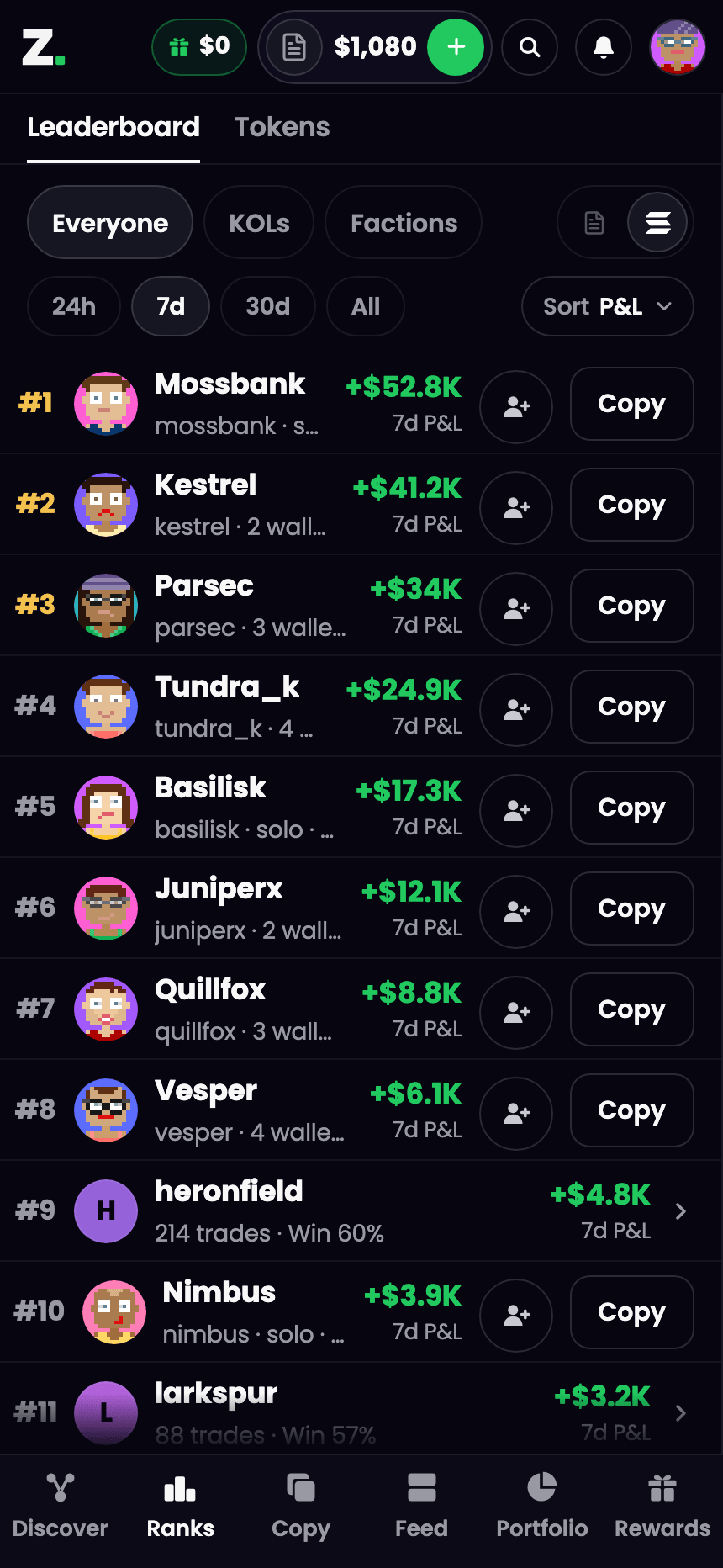 Ranks from the bottom bar. See who is actually printing.
Up top
The header is your money and your account:
- The balance pill: your mode icon, your balance and a green plus. Tap the mode icon to flip between Practice and Live. Going Live makes you confirm first. Tap the plus to add money. See Practice and Live and Funding your wallet.
- The bell: your notifications, with a count of what's new.
- Your face: opens Account. Wallets, settings, Help.
Signed out? You get Sign in up there instead.
Discover on a phone
Top of Discover: one switch for Trending, Trenches and Map. Chips under it. The filter button sits at the right end of the chip row. See Discover and Trenches.
Holding bags? A pill floats over the map with up to three token logos, how many positions you have open and your P&L on them. Tap it and you're in your positions.
Thumb controls
| Gesture | What it does |
|---|---|
| Pinch | Zoom the map |
| Drag | Pan the map |
| Tap | Open a token's card |
| Swipe down | Close a card or sheet |
| Hold One-tap buy | Set its amount |
Forget one? They live in Help, under Touch. Help also has Replay the map walkthrough and Replay the filters walkthrough under Walkthroughs.
Aping from your phone
Every token page has a bar pinned to the bottom with a green Buy at your amount. One tap. You're in.
Want a different size? Tap the arrow next to Buy. The buy sheet slides up: big amount display, your preset amount chips, a keypad, the Practice and Live switch, and your balance. While the trading fee applies, the sheet shows the all-in total with the fee before you buy. No surprises after. See Buying and selling.
Taking profit
Portfolio in the bottom bar: your positions and P&L, split into Open and Closed tabs. Every open position gets four sell buttons, 25% 50% 75% All by default. Swap the first three in Trade settings. Taking profit is one thumb away. Don't round-trip it. See Portfolio and P&L.
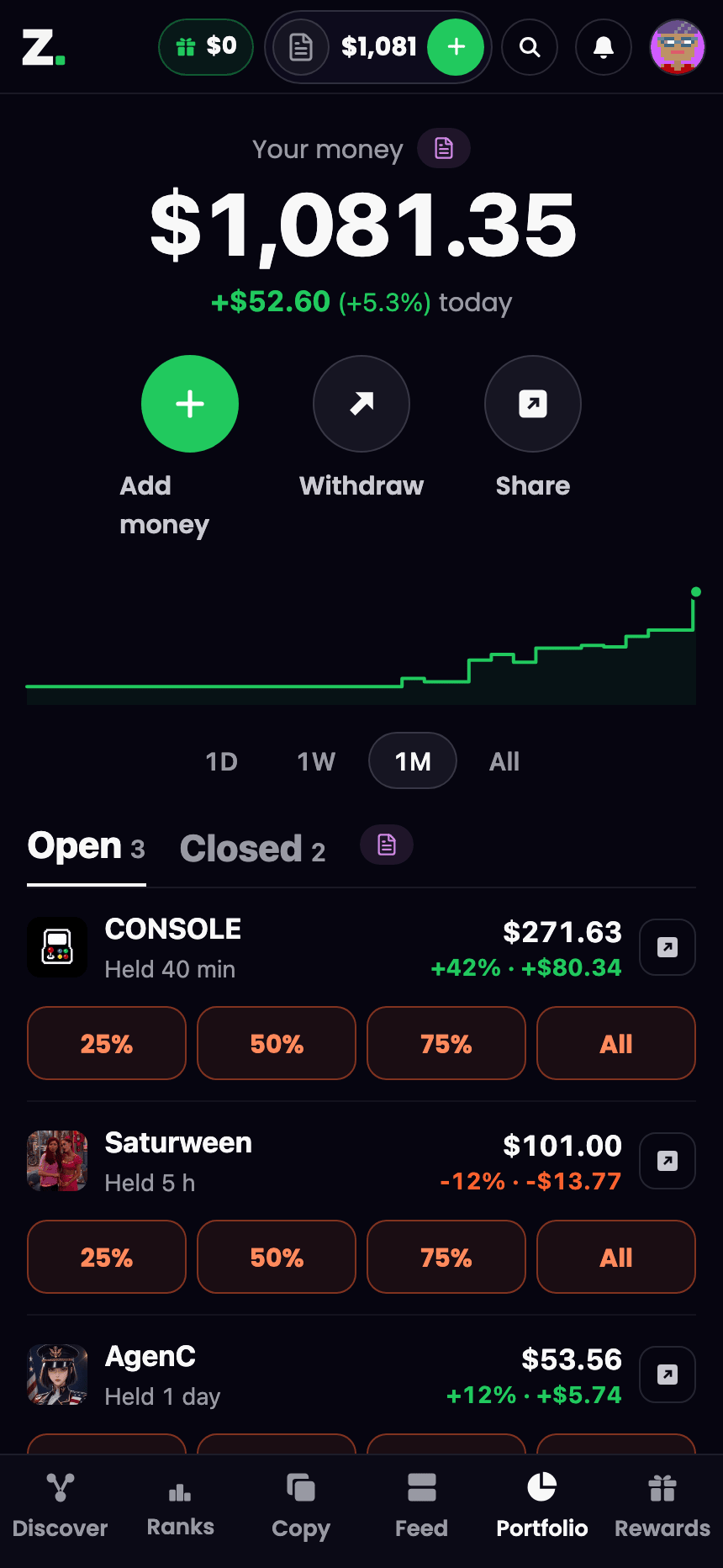 Portfolio on a phone. The wins and the cooked ones.
Put it on your home screen
Install it and clusterz opens full screen from your home screen, like an app. After your first trade we offer this once, with an Add clusterz to your home screen card. Hit Not now and it's still in Account whenever you want it.
- Tap your face in the header to open Account.
- Scroll to Install the app and tap Install.
- On Android, confirm in the prompt your browser shows.
- On iPhone in Safari, tap Share, then Add to Home Screen.
Don't see Install the app? Your browser can't install it. The row only shows where it can, and it's gone once clusterz is installed.
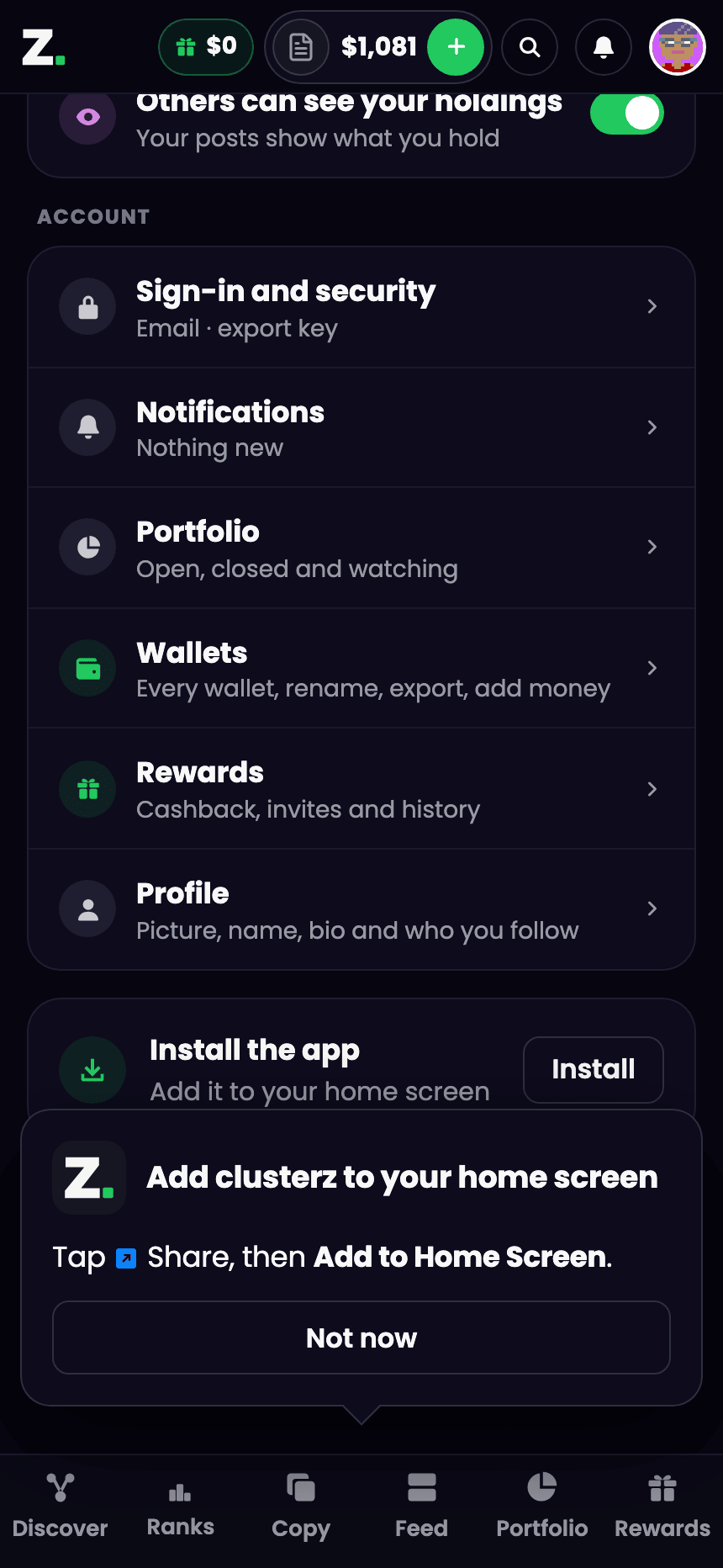 Install clusterz on your home screen. One tap from the trenches.
Tips from the trenches
- Install it. Full screen, no browser bar, more room for the map and your bags.
- Hold One-tap buy, set your amount once, then turn it on. Now a tap on a token buys that amount. See it, ape it.
- Swipe down to close any card or sheet and land back where you were.
- Check the mode icon in the balance pill before every trade. Practice money or Live SOL. Find out before, not after.