Feed
Calls used to live in group chats run by the guy who bought first. The Feed is ours. Post about tokens, make callouts, share closed trades, follow the traders worth following. Every shared trade comes from the poster's own history. No screenshots, no fake wins.
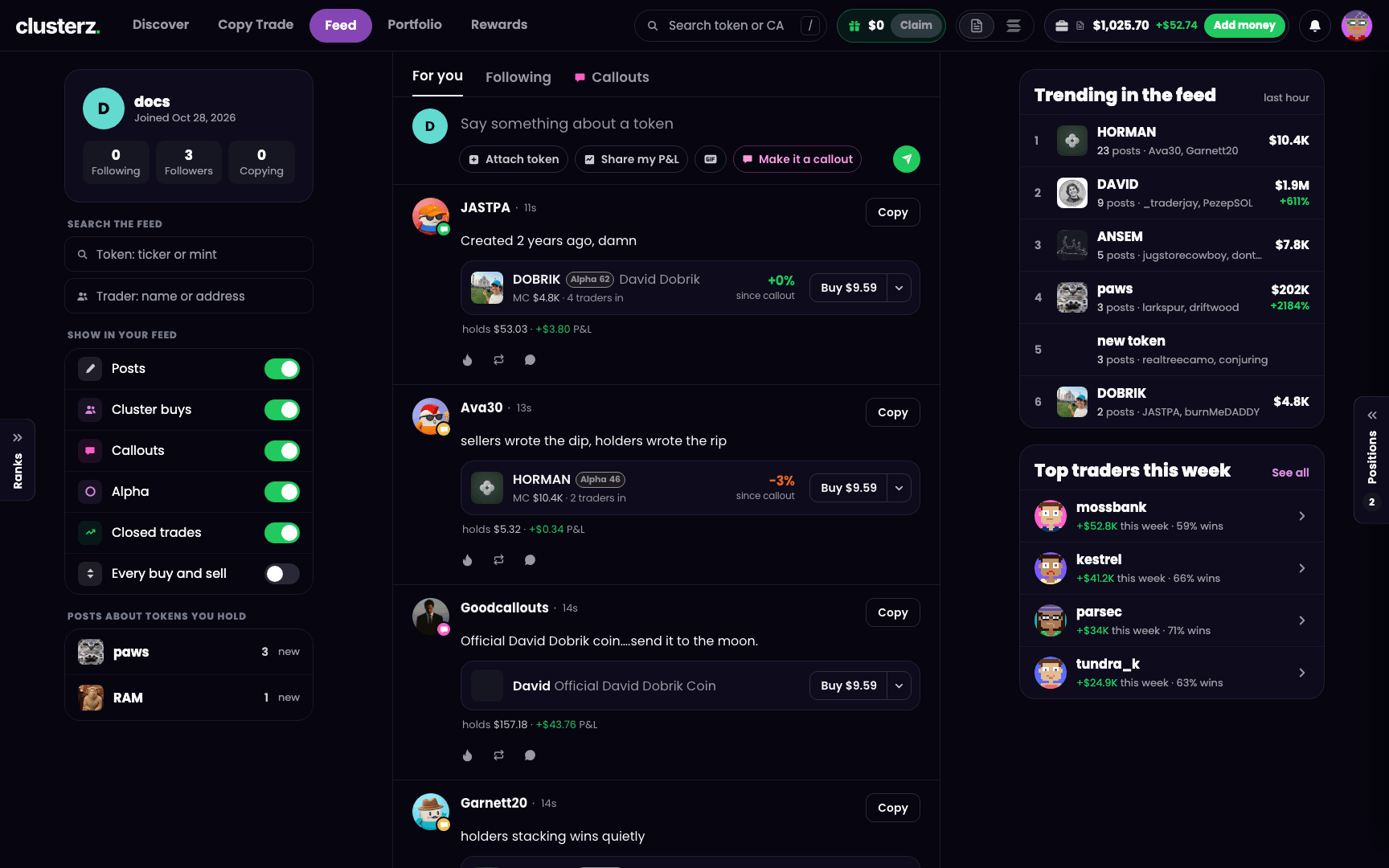 The Feed: calls, callouts and closed trades, straight from traders.
How it reads
Open Feed from the top bar, or from the bottom bar on your phone. Anyone can read it. Want to post, reply, react or follow? Sign in and pick a Feed name.
The tabs up top filter the timeline. Pick your noise:
- For you: posts and activity, as set by Show in your feed (see below).
- Following: posts from the people you follow. Shows once you are signed in.
- Callouts: posts marked as callouts, plus calls on tokens from the callers and accounts clusterz tracks.
- Faction: posts from members of your faction. Shows while you are in one. See Factions.
What shows in For you
The Show in your feed switches decide what lands in For you. Everything is on except the firehose:
| Switch | Default |
|---|---|
| Posts | On |
| Cluster buys | On |
| Callouts | On |
| Alpha | On |
| Closed trades | On |
| Every buy and sell | Off |
Saved in your browser. Reset puts them back to the defaults.
Pick a Feed name
Your Feed name is your handle. It sits on your posts, your replies and your profile.
- 3 to 20 characters.
- Starts with a letter. Letters, numbers and underscores only.
- One change every 7 days. Choose like you mean it.
Throw a picture and a short bio on your profile too. Bio caps at 160 characters.
Post
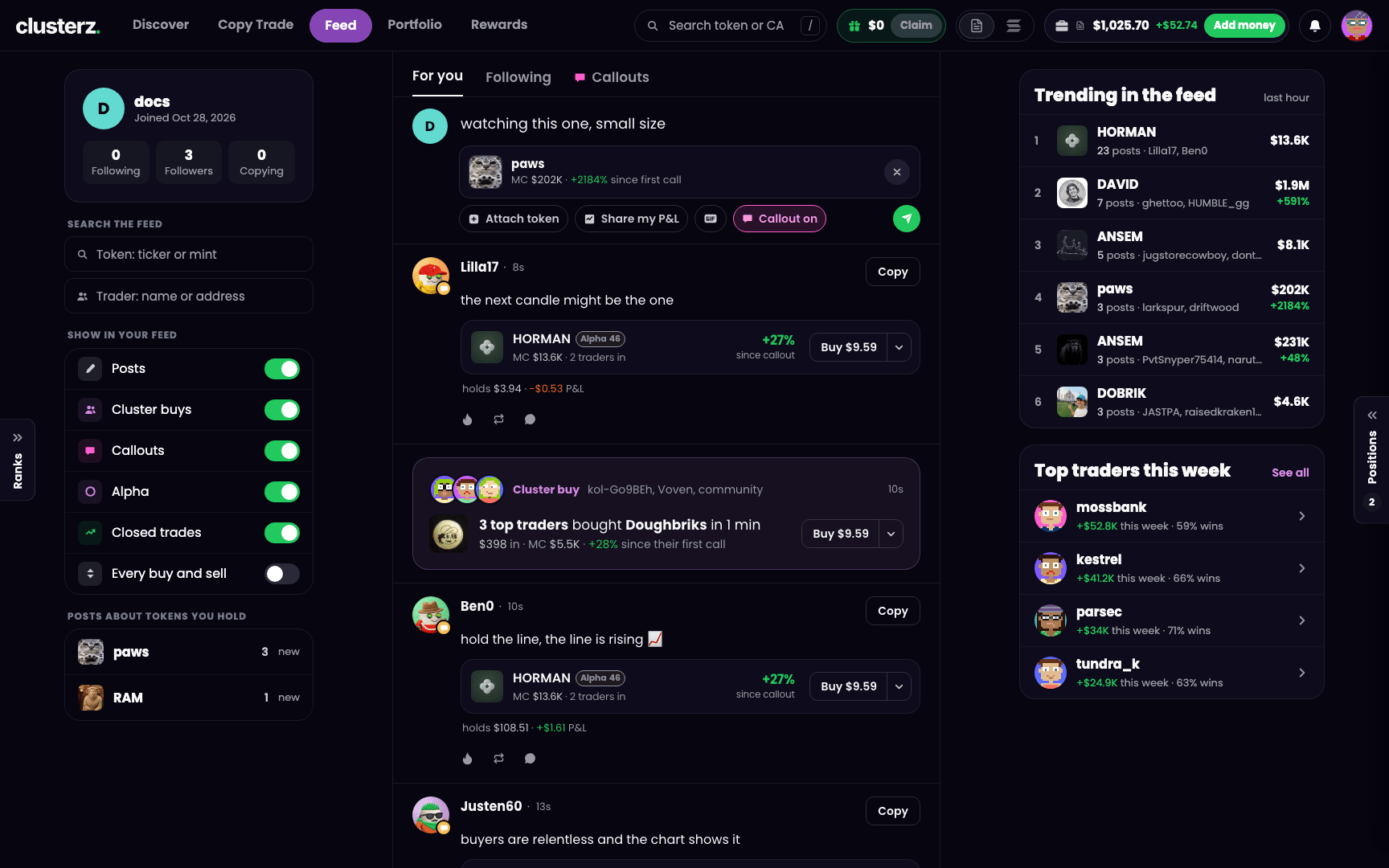 Attach a token and your post becomes a callout.
- Click the box that reads Say something about a token.
- Write your post. Up to 280 characters.
- Optional: attach a token by its symbol or mint address, add a GIF, or share a closed trade.
- Press Post.
One account posts at most once every 30 seconds, and up to 20 posts an hour. While you wait, the button shows how long is left. Spam bots hate this.
New account? The Feed can show New accounts can post once they are funded. Add funds to your wallet and you can post. See Funding your wallet.
Callouts
A callout is a post that names a token you think is worth a look. Your call, on the record.
- Attach a token to your post.
- Turn on Make it a callout. The chip then reads Callout on.
- Press Post.
Callouts list under the Callouts tab. A callout needs a token, attached or from a shared trade. Without one, the composer reads Attach a token to make it a callout. Replies cannot be callouts.
A post that names a token shows the token's market cap and how far it has moved since the post. The scoreboard runs from the second you post.
Share a closed trade
Post any trade you closed, in Practice or Live. The wins, or the ones that cooked you.
- In the post box, choose Share my P&L and pick a trade from your closed trades. Or press Post to Feed on a trade's P&L card in Portfolio.
- Add a few words if you like, then press Post.
The card shows the token, your entry and exit, and the P&L. Never your size, your balance or your wallet. The figures come from your own trade history, so nobody posts a trade they did not make. No photoshopped gains. Open trades cannot be shared, so close the position first. A shared trade cannot be a reply.
Your holdings on posts
Post about a token you hold and your post can show your bag. Want your posts to hide what you hold? Turn Others can see your holdings off in Account or on your Feed profile. It is on until you turn it off, and the switch applies to your past posts too.
Reply, react and buy
- Reply opens the thread. A reply to a reply starts with the other person's @name.
- Tap Fire to like a post, or Repost it.
- A post that names a token has a Buy button. It buys your preset amount in your current mode. The arrow next to it opens More sizes. See Buying and selling. Read the call, ape the call, same screen.
Follow people and traders
Two kinds of accounts worth following:
- People who post on the Feed. Press Follow on any of their posts or on their profile. Their posts fill your Following tab.
- Tracked traders, the wallets clusterz follows on the network. Press Follow on a trader's card or page. Their trades show on your map.
Limits: up to 100 people, up to 100 tracked traders, and up to 30 new follows an hour. Following people opens once your account is 1 day old or funded. Your full list sits under Following on your profile, where you can unfollow anyone.
Your profile
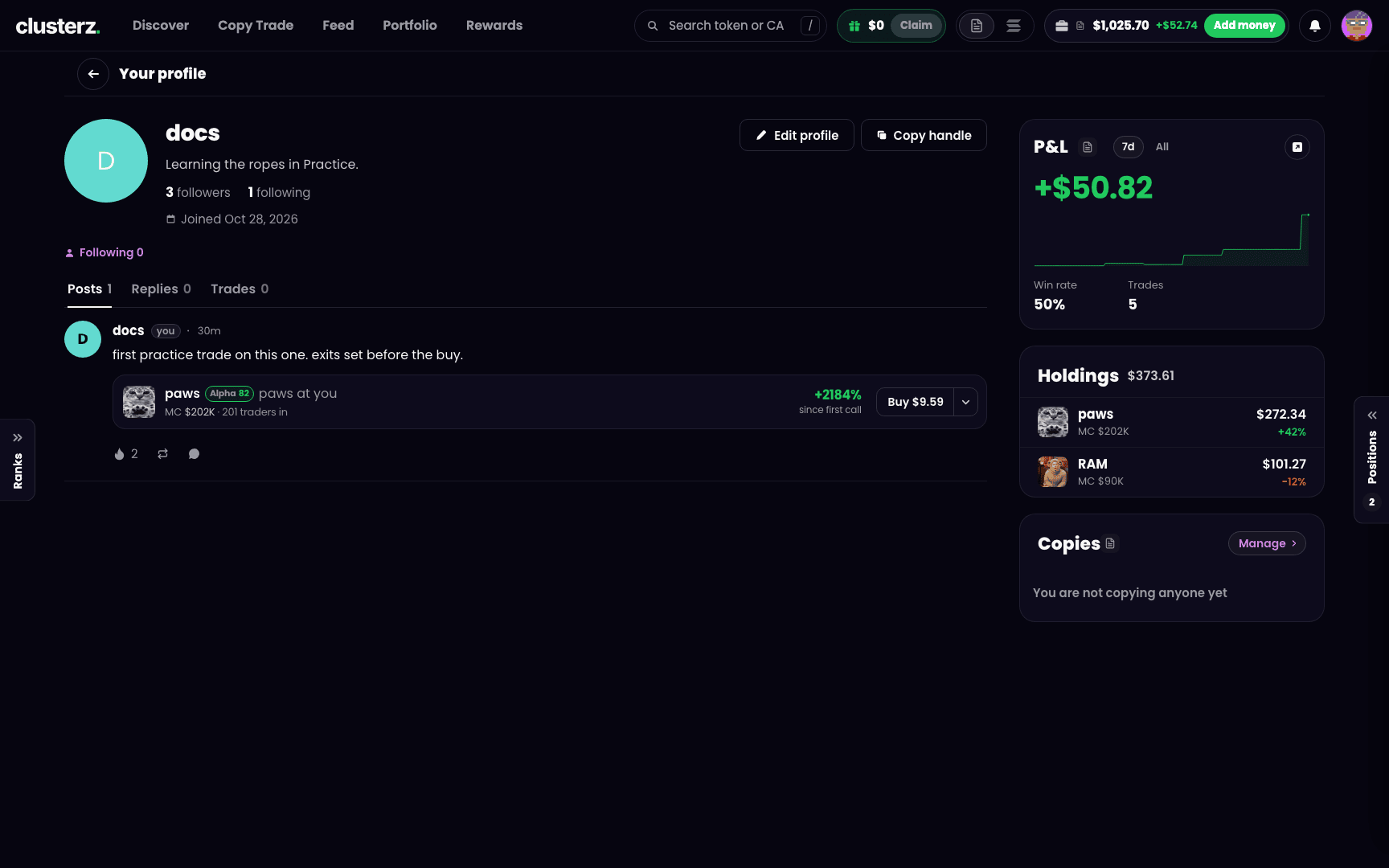 Your Feed profile: posts, replies and trades. Receipts included.
On desktop your profile has three tabs: Posts, Replies and Trades. On your phone the tabs are Holdings, Posts and Copies. Other traders see your Posts and Trade posts, plus your followers and your P&L. Every trade post is a closed trade from your own trade history. Live trades are checked on the network.
Notifications
The bell in the top bar catches replies, mentions, reactions, new followers, your copies and reward news. Its tabs are All, Trades, Social and Rewards.
Hit the gear for Notification settings and pick what rings the bell:
- Replies and mentions
- Reactions
- New followers
- Posts from people you follow
- Your copies buy and sell
- Cluster buys on tokens you hold
- Price moves on tokens you hold
- Callouts from traders you copy
- Rewards ready
Keep your feed clean
Reply guys, shillers, scammers. Open the More options menu on any post:
- Mute @name hides that person's posts from your feed. Unmute them from the Muted list on your profile.
- Report post asks for a reason: Spam, Scam, Abuse or Other.
- On your own post, Delete post removes it for everyone. Replies go with it. No undo.
- On replies to your own post, Hide reply removes that reply for everyone. No undo.
Pro moves
- Use the Callouts tab to see only token calls, and check each card for how far the token has moved since the call. Who called it, who got cooked.
- Follow the tracked traders you trust so their trades show on your map, then copy them from Copy.
- Turn on Every buy and sell when you want the full stream of tracked trades in your feed. Turn it off again when it gets busy.