
The best memecoin trading app on Solana
The best memecoin trading app on Solana: KOL alt wallets, copy trading, new pairs and paper trading in one app, on desktop or phone. Nothing to install.
Opens clusterz.fun in your browser. Sign in with Google, X, a wallet or an email code, and start in Practice with play money.
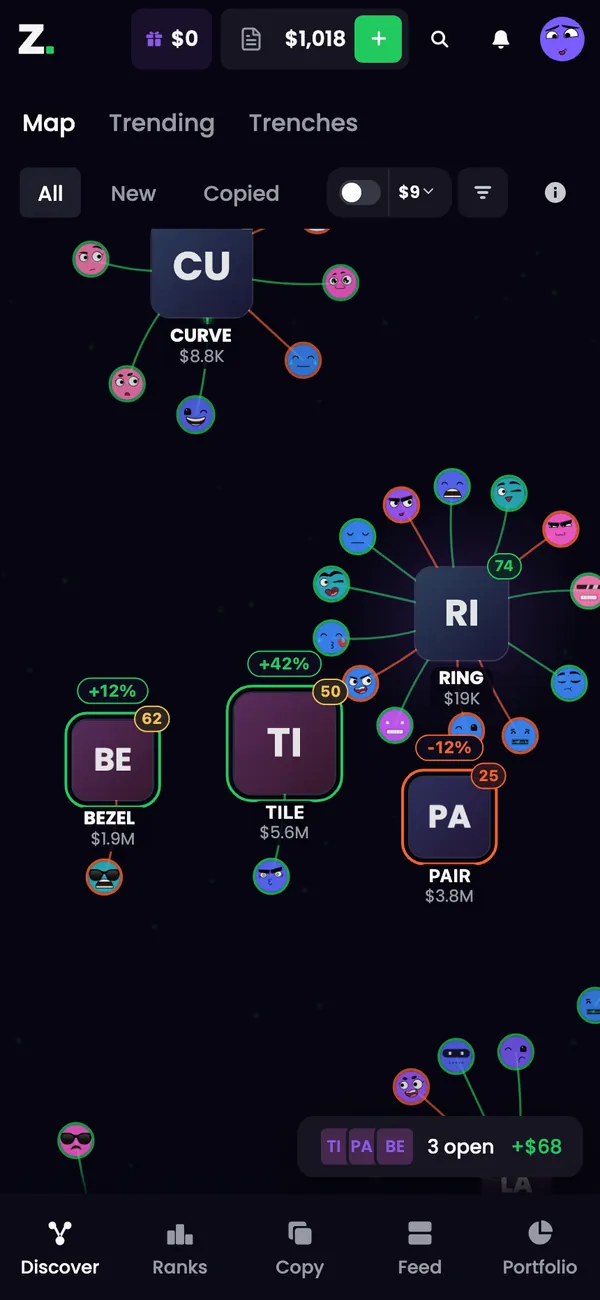
- Spot itTracked wallets buying, live
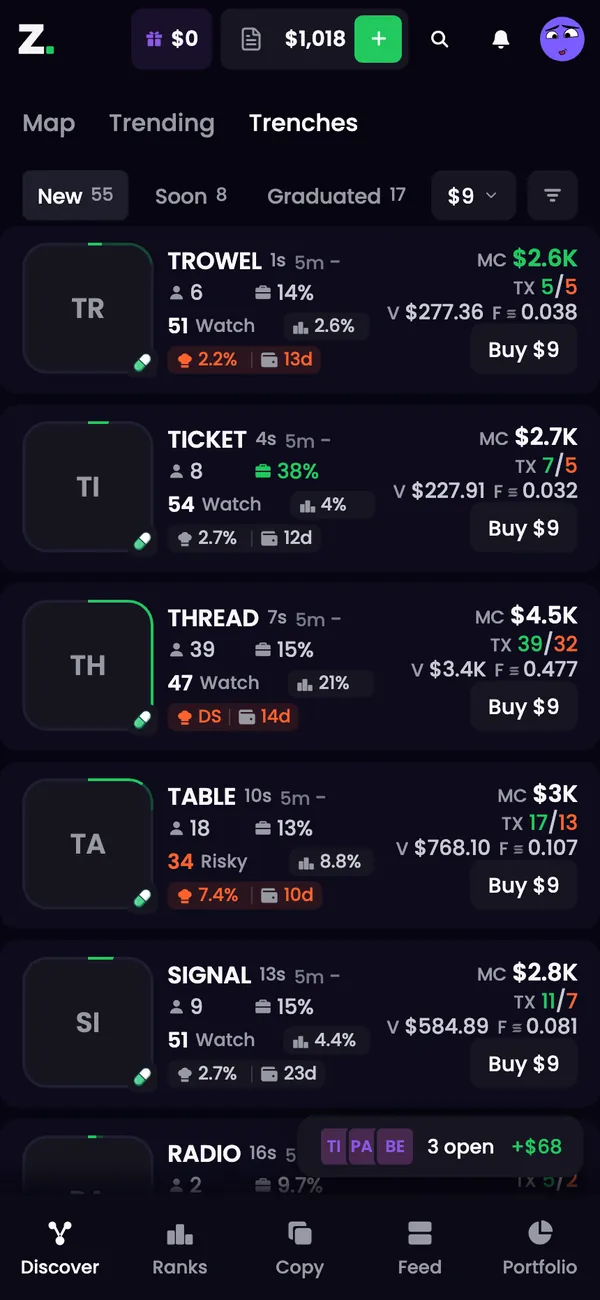
- Catch it earlyNew pairs with holder checks
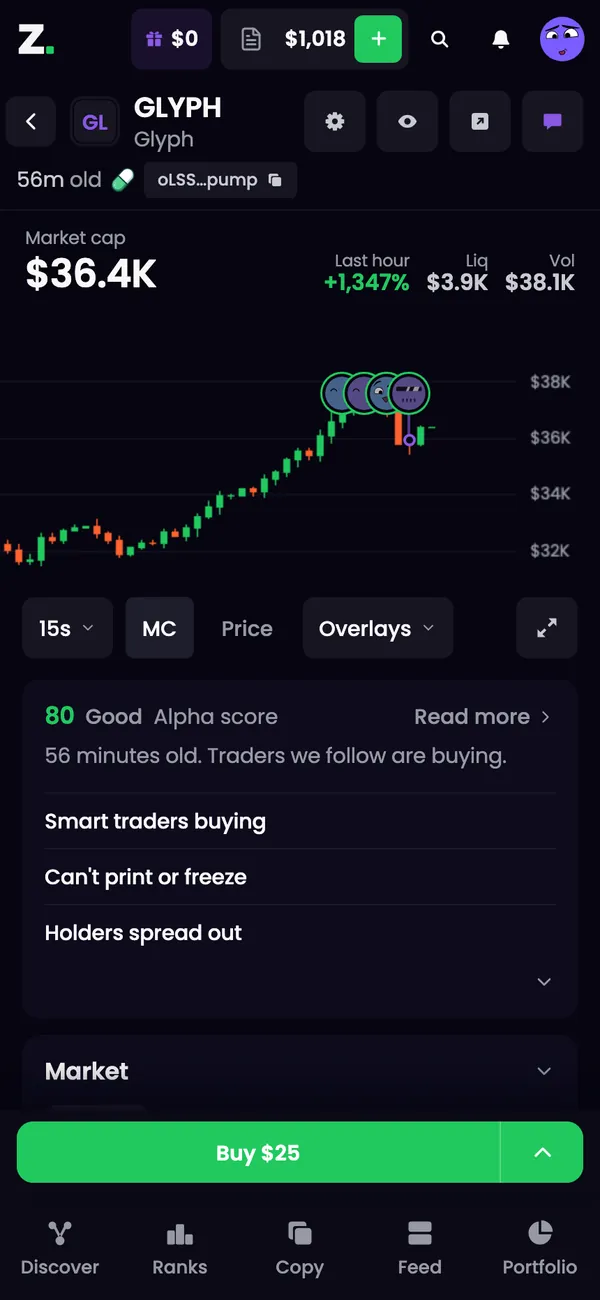
- Check itAlpha score and safety
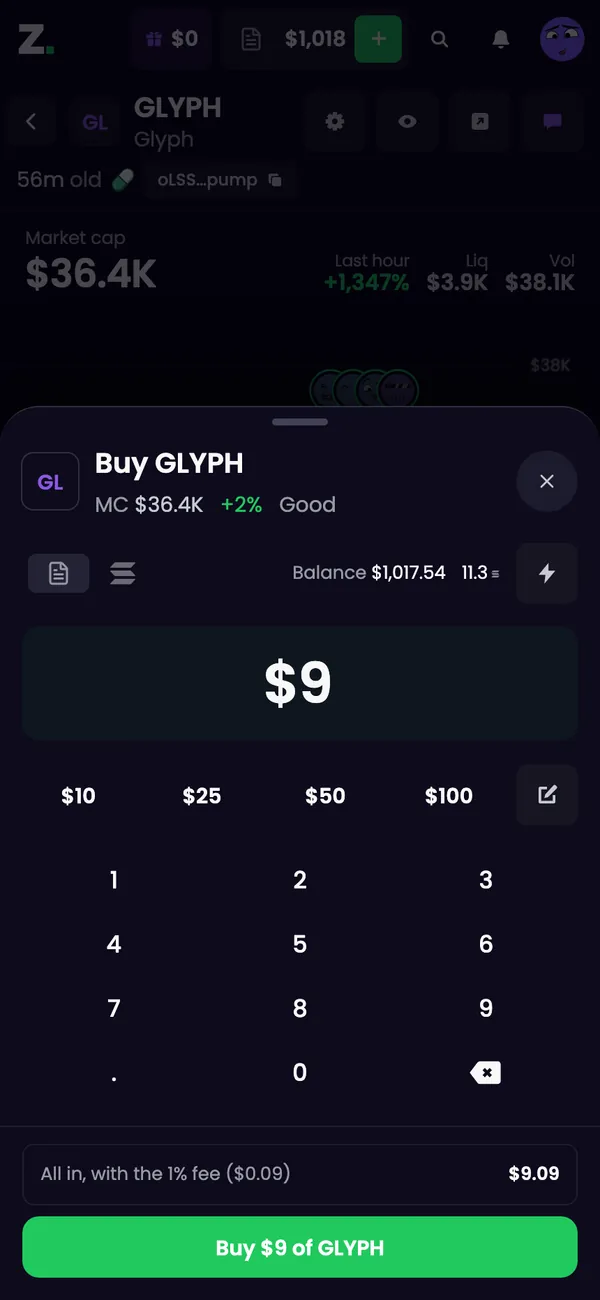
- Buy itOne tap, or your own size
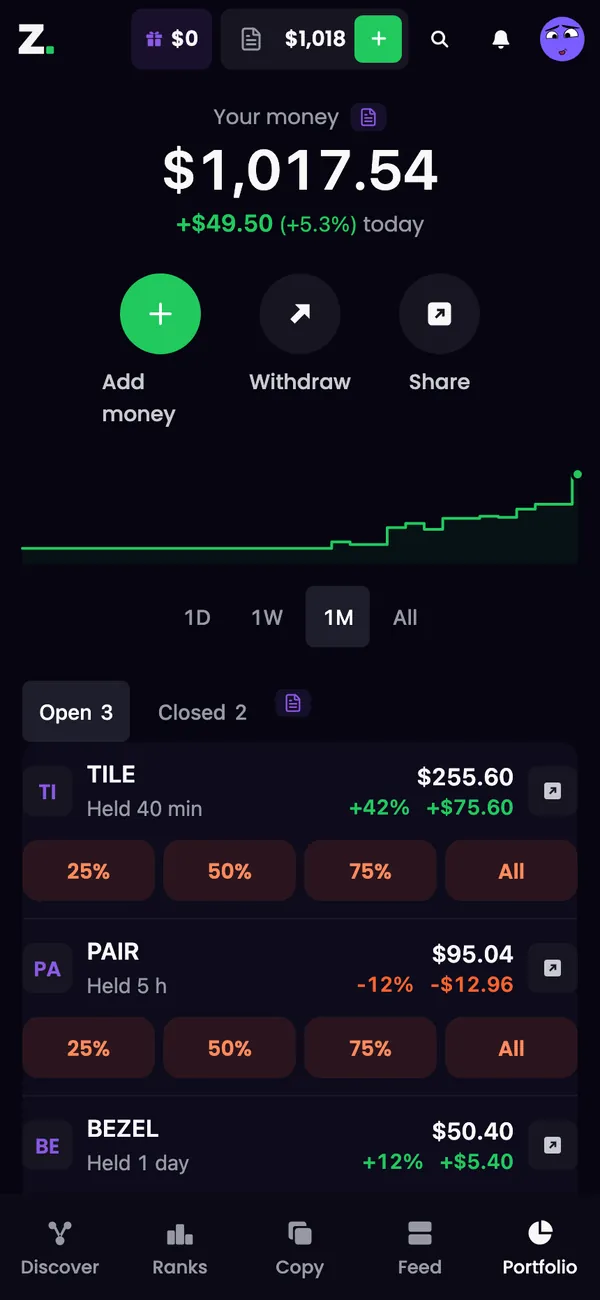
- Take profit25%, 50%, 75% or All
Why clusterz is the best memecoin trading app
Most traders run a tracker, a terminal, a copy bot and a practice account side by side. We put them in one app, so nothing gets lost between tabs.
Alt wallets come linked
A trader is rarely one wallet. We link a tracked trader's alts into one cluster, so you see the whole person, and a cluster buy fires as one signal. The KOL wallet tracker
Copy trading built in
Copy a trader, a list or a dev with your own size, exits and daily loss limit. Copies run on our server with your tab closed, at 0.2% per trade. Copy trading
New pairs with the checks on the card
Trenches shows new pump.fun, bonk.fun, Raydium LaunchLab and Meteora pairs in three live columns: New, Soon and Graduated. Dev, bundle, sniper and insider checks sit on every card. New pairs
See who is buying
The clusters map draws tracked wallets around the tokens they buy, live, so a crowd forming is something you can see. The clusters map
Practice with play money
Every account gets 1,000 USD worth of SOL in play money against the live market. Free, no fee, and the same screens as Live. Paper trading
A quarter of the fee back
Our fee is 1% on trades you place and 0.2% on copies and snipes, and 25% of it comes back to you as cashback in SOL. Fees
From first look to take profit, in one app
The five moves of a memecoin trade, and where each one lives. On a phone they are one tap apart on the bottom bar: Discover, Ranks, Copy, Feed and Portfolio.
Spot it
Discover holds the Map, Trending and Trenches. The Map draws tracked wallets buying live, and Trending shows what they are buying right now.
Check it
Every token page carries the Alpha score from 1 to 99 with its reasons, and the safety checks: mint and freeze authority, top 10 share, dev holding and dev sold.
Buy it
A green Buy at your amount sits at the bottom of every token page. Want another size? The buy sheet has preset amounts, a keypad and the all-in total with the fee before you buy.
Let your exits sell
Set take profit, stop loss and a trailing stop once, for every new buy or one position, and exits sell for you. Exits
Take profit
Portfolio splits Open and Closed. Every open position has four sell buttons, 25%, 50%, 75% and All, and you can swap the first three in Trade settings.
A real app, without the app store
clusterz is a web app. Open clusterz.fun in your phone's browser and you are in. Install it and it opens full screen from your home screen, with no browser bar, like any other app.
Open Account
Tap your face in the header. Same account, same wallets and same positions as on desktop.
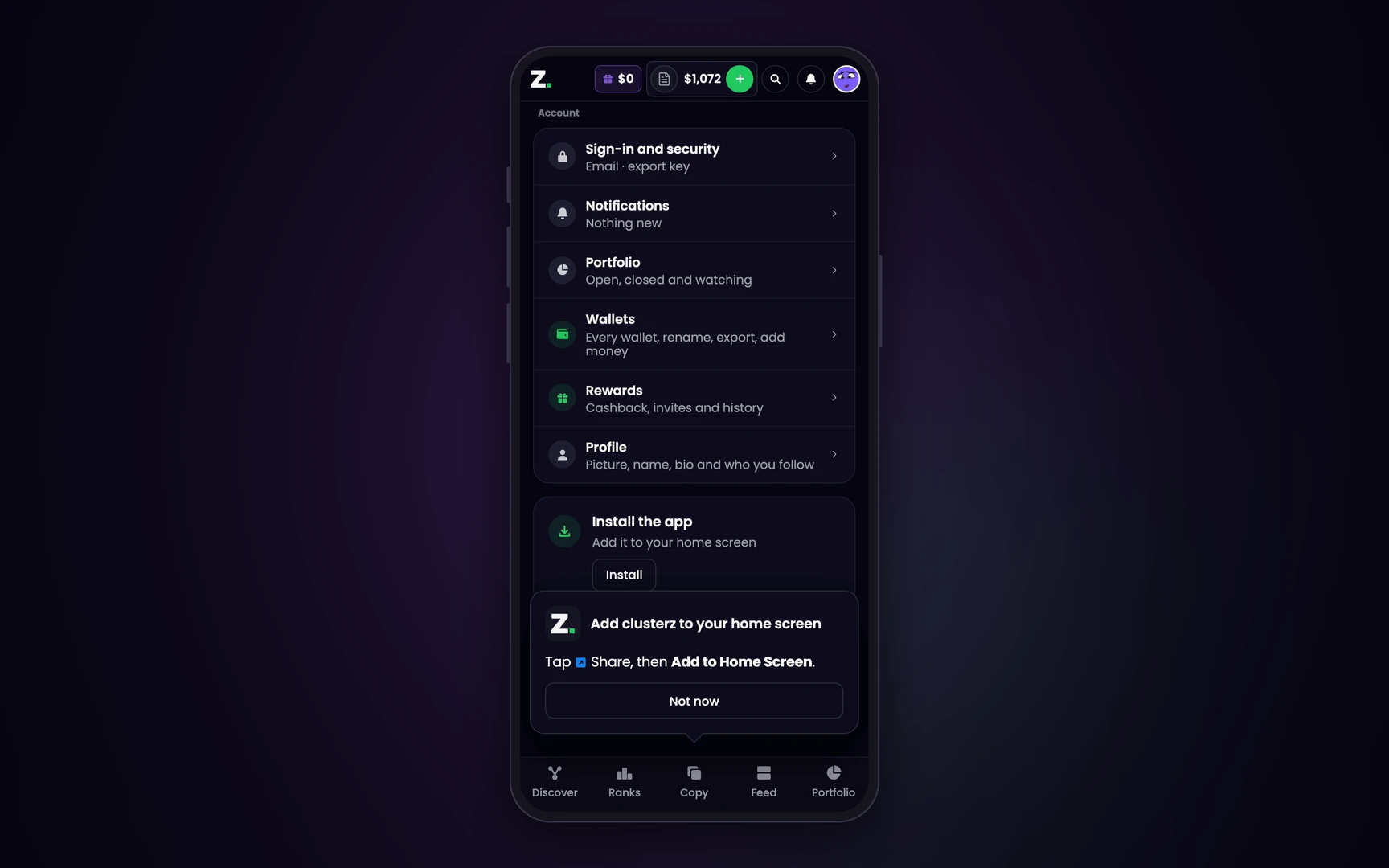
Tap Install
Scroll to Install the app and tap Install. On Android, confirm in the prompt your browser shows.
On iPhone, in Safari
Tap Share, then Add to Home Screen. clusterz sits on your home screen next to everything else.
The full tour: clusterz on your phone
What the app cannot do
Best is not magic. Four things to know before you put real SOL in.
- No store listing. There is no App Store or Google Play download. You install it from the browser, and a browser that cannot install it does not show the Install row.
- Solana only. Every token, wallet and trade is on Solana. No other chain.
- Speed is not a promise. A busy network can cost you the block, and a late fill is a worse price.
- It cannot make a token good. The checks show what is on chain. A token that passes every one can still go to zero.
Want it next to the others? The best memecoin trading apps, compared: phone apps, keys, fees, cashback, copy trading and play money in one table.
Memecoin trading app: questions
What is the best memecoin trading app?
We built clusterz to be it: one app where a tracked trader's alt wallets come linked, copy trading, new pairs with holder checks, a live clusters map and paper trading all sit together, on desktop and on your phone.
Is clusterz an app or a website?
Both. clusterz is a web app: open clusterz.fun in any browser and you are in. Install it and it opens full screen from your home screen, like any other app.
Is there a clusterz app in the App Store or Google Play?
No, and you do not need one. On iPhone, open clusterz.fun in Safari, tap Share, then Add to Home Screen. On Android, open Account, tap Install under Install the app and confirm.
Can I trade memecoins on my phone?
Yes. The phone has everything desktop has, Practice included: the bottom bar, a Buy button at your amount on every token page, and four sell buttons on every open position.
Is the app free?
Signing up and Practice are free, and Practice pays no fee. In Live our fee is 1% on trades you place and 0.2% on copies and snipes, and 25% of it comes back as cashback in SOL. The pool and the network charge their own costs.
Who holds my keys?
You do. Your Main wallet is yours and you can export its key any time from Account. Copies buy from a separate Copy wallet that our server holds so they can trade while you are away, and SOL in it can only go back to your own wallets.
Which chains does the app trade?
Solana only. Every token, wallet and trade in the app is on Solana.
Can I lose money with a memecoin trading app?
Yes. Memecoins are highly speculative and a trade can lose everything you put in. No app changes that. Practice lets you learn the moves with play money first.
Trade memecoins in one app
Free to start in Practice. Desktop or phone, nothing to install.